PHJOY Maya Wallet Rules: Instant Peso Top-Ups and Fast Withdrawals
Using PHJOY Maya payments lets you deposit from ₱100 to ₱100,000 in under 20 seconds and receive verified cashouts in 5 to 15 minutes - making it the most reliable backup when GCash experiences evening maintenance on Friday and payday weekends. Just make sure you fund from your main Maya Wallet balance (not Maya Credit or Maya Personal Loans) and that your Maya account is Upgraded with a matching legal name.




- Deposit Range: ₱100 minimum up to ₱100,000 maximum per transaction (₱50 accepted during select mini-events).
- Cashout Speed: 5 to 15 minutes after approval straight to your 11-digit Maya mobile number.
- Main Wallet vs Maya Savings: Move your Pesos from "Maya Savings" into your main "Maya Wallet" before tapping Deposit.
- 1:1 Name Match Rule: Your Upgraded Maya account holder name must match your registered player name exactly.
Why Smart Filipino Players Keep a PHJOY Maya Wallet Linked
Every 15th and 30th of the month - right when salaries drop across Metro Manila, Cebu, and Pampanga - millions of Filipinos open GCash at the exact same hour, causing occasional OTP delays or gateway timeouts. During those busy payday evenings, Maya's payment servers almost always stay wide open with zero queue lag.
Linking both your GCash and your Upgraded Maya wallet inside your cashier profile gives you an instant safety net. If one e-wallet displays a "System Maintenance" banner when you want to cash out ₱3,000, you can simply select your verified Maya wallet and receive your funds in the same 5 to 15 minute window.
| Feature | Maya Wallet on PHJOY | GCash Express on PHJOY |
|---|---|---|
| Min / Max Deposit | ₱100 to ₱100,000 | ₱100 to ₱100,000 |
| Payday Evening Stability | Very high; rarely queues OTPs | Can slow down on 15th/30th peak hours |
| QR Ph Scan Compatibility | Works seamlessly via Scan-to-Pay | Works via Scan-to-Pay |
| Withdrawal Speed | 5 to 15 minutes after approval | 5 to 15 minutes after approval |
Step-by-Step: How to Deposit and Bind PHJOY Maya Without Errors
Whether you use the 7.68 MB Android app or iOS Safari, funding your balance with Maya follows a direct encrypted handoff. However, one common mistake trips up Maya users who store their money inside Maya's high-interest "Savings" tab.
Move Funds From Maya Savings to Maya Wallet First
When the casino cashier redirects you to the Maya checkout screen and asks for your password and 6-digit SMS OTP, Maya only checks the balance sitting in your primary Wallet tab. If you have ₱1,500 inside "Maya Savings" and ₱12 inside "Maya Wallet," a ₱500 deposit will fail with an "Insufficient Balance" error until you transfer that ₱500 into your main Wallet first.
How to Bind Your Maya Number for Withdrawals
- Open the cashier, tap Withdraw, and select Add E-Wallet / Maya.
- Type your 11-digit mobile number starting with
09(make sure it is the exact number tied to your Upgraded Maya profile). - Confirm that the pre-filled Account Holder Name matches the legal name on your Maya app and save your binding with your 6-digit withdrawal PIN.
Maya offers a revolving credit line called "Maya Easy Credit" with service fees and late penalties. Never transfer borrowed credit into your wallet to gamble - only play with spare entertainment cash you already own free and clear.
Troubleshooting Uncredited Maya Top-Ups & Virtual Card Blocks
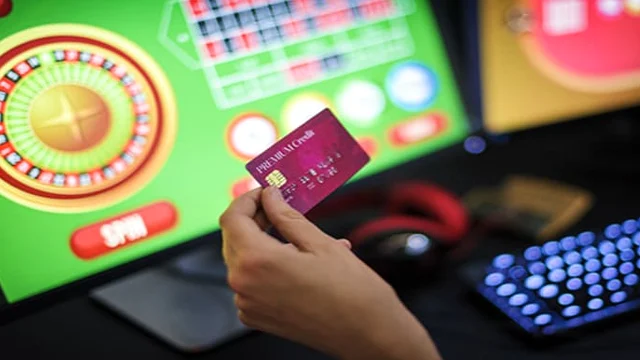
Some players try to deposit by typing their 16-digit Maya Virtual Visa or Mastercard number into a card processor, only to have the transaction declined. Maya's card issuer automatically blocks direct debit/credit card merchant codes associated with gaming.
Always choose the native Maya E-Wallet button or the QR Ph option in the cashier instead of trying to use the Maya Visa/Mastercard number. Native e-wallet and QR Ph transfers clear directly in Philippine Pesos with zero foreign exchange or card-decline fees.
If your phone loses signal right after you enter your Maya OTP, the ₱200 may leave your Maya wallet before the browser refreshes. Do NOT submit a second deposit! Open your Maya app, tap the completed transaction in your Activity list, take a screenshot showing the Reference ID, and send it to 24/7 Live Chat for a manual sync within 5 to 10 minutes.
Open the Maya Cashier & Related Guides
Ready to link your Upgraded Maya account or check current deposit limits? Visit the verified cashier below:
To compare all six Philippine payment channels, return to our parent PHJOY Peso Cashier Guide. You can also review our 5-15 minute withdrawal rules, see how QR Ph and GrabPay scan-to-pay works, or check accepted Philippine IDs for KYC.
Frequently Asked Questions
Can I use an unverified Maya account to deposit and withdraw on PHJOY?
No. You must upgrade your Maya account with a valid Philippine government ID first. Unverified e-wallet accounts cannot send merchant payments or receive incoming casino withdrawals.
Does PHJOY charge a fee for Maya deposits or cashouts?
No. Both deposits (₱100 to ₱100,000) and withdrawals via Maya are processed with zero platform fee.
Can I deposit with GCash and withdraw my winnings to Maya?
Yes, once you have bound both your GCash and Maya wallets under the exact same verified legal name, you can select Maya as your receiving payout option if GCash is undergoing maintenance.
Why did my Maya deposit fail even though I have money in Maya Savings?
Direct merchant checkouts only pull funds from your main Maya Wallet balance. Open your Maya app, transfer the Peso amount from Savings to Wallet for free, and then repeat the deposit.